Infrastructure as a Service (IaaS)
General features
Internal Cloud Network
Our cloud platform integrates a Software-Defined Networking (SDN) solution that allows customers to design and manage virtual networks directly from the management console.
Clients can define complex topologies, segment traffic, and configure IP addressing without interacting with physical infrastructure.
Technical Features:
- Virtual network creation → create virtual bridges and dedicated network segments to isolate environments (e.g., production, testing) and ensure traffic separation.
- Dual-stack IPv4/IPv6 support → each network can be configured with IPv4 and IPv6 addresses, with options to set dedicated gateways and custom subnets.
- IPv4: static or DHCP configuration.
- IPv6: support for static addresses and DHCPv6.
- IP and routing management → the console enables you to define IP ranges, gateways, and internal routing rules between subnets, without address translation functions.
- Advanced segmentation → support for VLAN tagging and isolated networks to ensure security and compliance.
- Configurable VLAN IDs for each bridge.
- Options for private and public networks.
- Scalability and performance → architecture optimized for low latency and high throughput, with the ability to add new networks and nodes without downtime.
Example Scenario
A customer can: 1. Create a private network with IPv4 (e.g., 10.0.0.0/24) and IPv6 (e.g., fd00::/64). 2. Connect multiple VMs and containers to the network via virtual bridges. 3. Define internal routing rules between subnets. 4. Add a VLAN to separate test traffic from production traffic.
Benefits:
- Self-Service: Everything managed from the console, no manual intervention.
- Flexibility: Custom configurations for each project.
- Compatibility: Full IPv4/IPv6 support.
- Integrated Security
List of Services
The following table lists the services included in the Infrastructure as a Service (IaaS) category.
| FAMILY | LIST OF SERVICES |
|---|---|
| Compute | Confidental Private IaaS |
| Compute | Confidental Shared-IaaS (VMs) |
Compute Family
Below is the list of services belonging to the Compute family:
- Confidental Private IaaS
- Pool Small (Confidential)
- Pool Medium (Confidential)
- Pool Large (Confidential)
- Pool X-Large (Confidential)
- Confidential Shared-IaaS (VMs)
- VM Small (Confidential)
- VM Medium (Confidential)
- VM Large (Confidential)
- VM X-Large (Confidential)
Confidental Private IaaS
Services Description
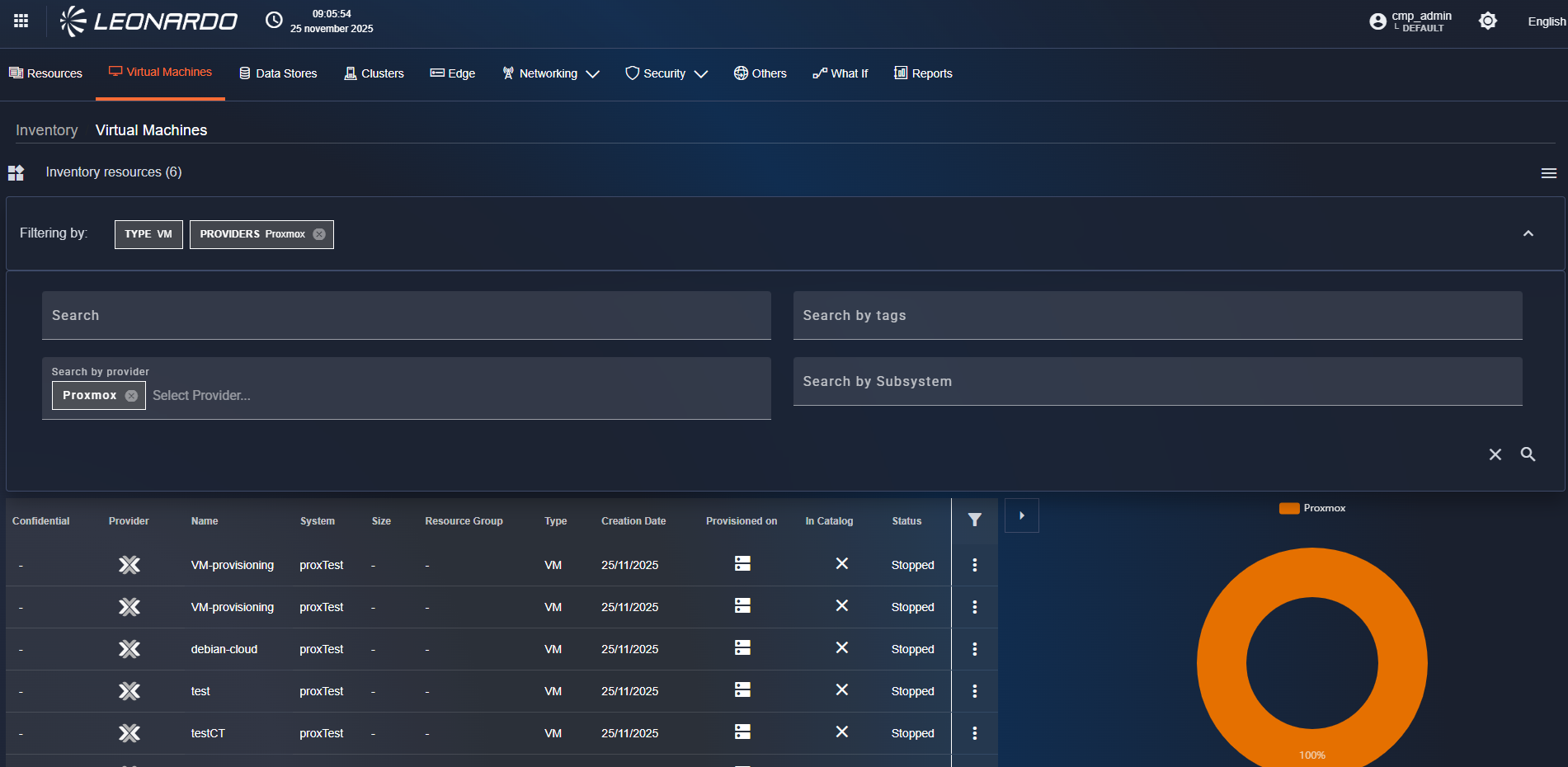
These services, deveoloped by Leonardo, enable the provision of Private virtual computing environments (IaaS), i.e., on a pool of physical resources, dedicated and isolated for each individual customer, based on the use of bare metal computing instances.
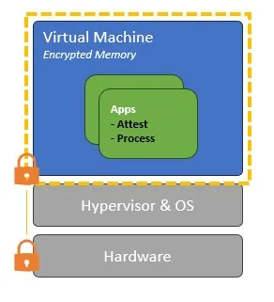
Data from physical resources is encrypted and kept secure throughout all phases of use (at rest, in transit, and in use), leveraging the Confidential Computing paradigm.
The Private IaaS (Confidential) services are based on the use of the Proxmox virtualizer, which allows the provision of IaaS services with confidential computing capabilities.
Depending on the pool of computing resources required for each individual Organization, the most suitable service from the four available types can be selected:
| Type | Contained Elements |
|---|---|
| Pool Small (Confidential) | 3 Hosts (2xCPU 24 Core - 512 GB RAM - 32 TB SSD) |
| Pool Medium (Confidential) | 6 Hosts (2xCPU 24 Core - 512 GB RAM - 32 TB SSD) |
| Pool Large (Confidential) | 9 Hosts (2xCPU 24 Core - 512 GB RAM - 32 TB SSD) |
| Pool X-Large (Confidential) | 12 Hosts (2xCPU 24 Core - 512 GB RAM - 32 TB SSD) |
Features and Advantages
Private Cloud resources are dedicated exclusively to each customer.
The services use secure enclaves based on Trusted Execution Environments (TEEs) based on Confidential Hardware, which offer an advanced level of security for data in use, protecting it during processing.
They support advanced encryption of data at rest, in transit, and in use.
They use advanced remote attestation systems to verify the correctness of the TEE environment, isolating virtual machine memory from the host operating system and other malicious guests.
The services offer the following advantages:
- Multi-Layer Security → data security and confidentiality in dedicated environments. Workload isolation through advanced virtualization. Dedicated firewalls and network micro-segmentation
- Faster Time-to-Market → automated provisioning and rapid resource management.
- Comprehensive control and centralized governance: centralized monitoring and auditing for traceability.
- Business continuity → built-in backup, snapshot, and high availability (HA) features ensure service continuity in case of hardware failures. Minimizes operational risk for critical applications.
Confidential Shared-IaaS (VMs)
Services Description
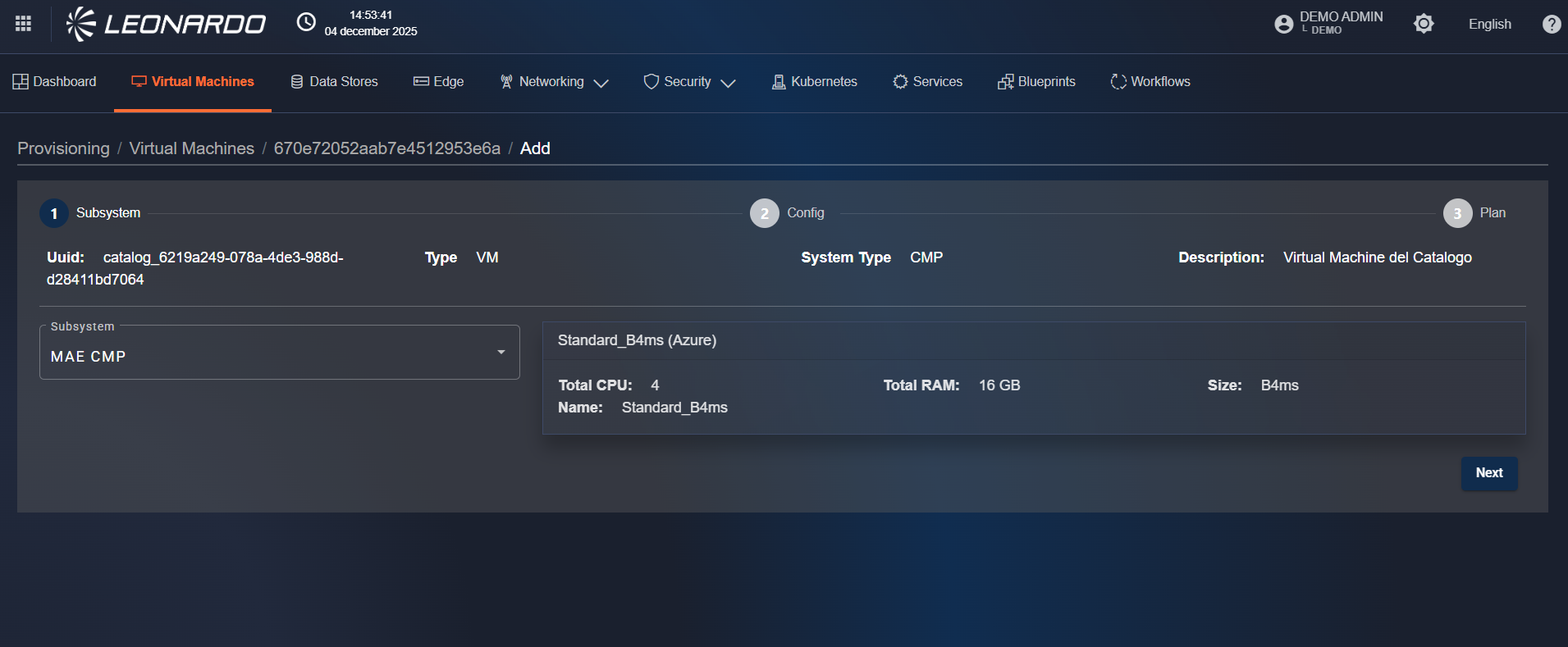
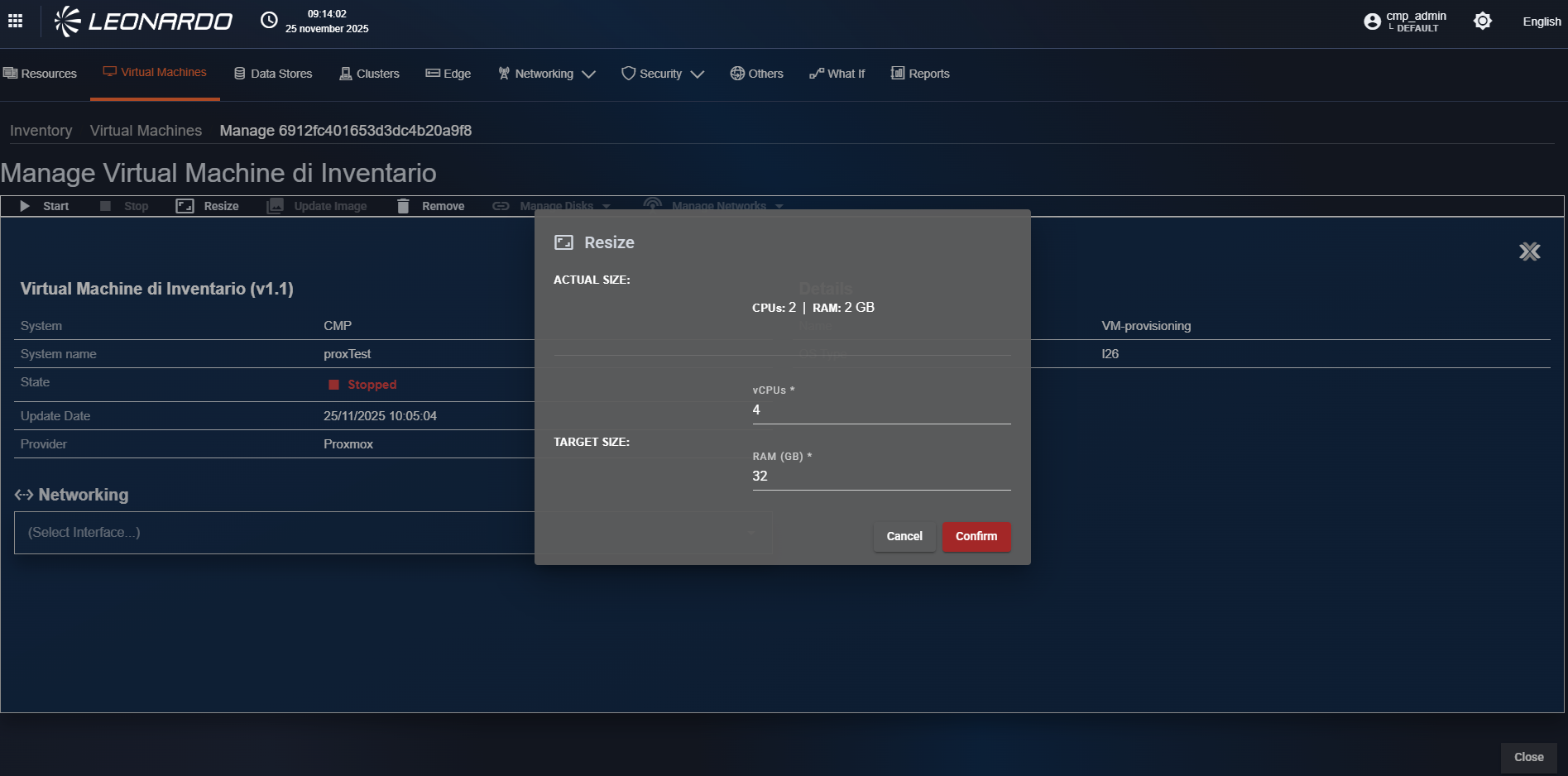
These services, deveoloped by Leonardo, enable organizations or individuals to deploy and manage Virtual Machines (VMs) without the need to maintain their own physical servers.
They provide users with virtualized computing resources—such as CPU, memory, storage, and networking—hosted on a managed and shared physical infrastructure.
The services are implemented using the Proxmox virtualizer, with a customized version offering Confidential Computing capabilities. Each user operates in a logically isolated environment, sharing the underlying hardware with other tenants. Data from physical resources is encrypted and kept secure during all phases of use (at rest, in transit, and in use), leveraging the Confidential Computing paradigm.
Depending on the resource pool required by each individual organization, the most suitable service can be selected from the four available types:
| Type | Contained Elements |
|---|---|
| VM Small (Confidential) | 2 Vcpu 4 GB RAM |
| VM Medium (Confidential) | 4 Vcpu 8 GB RAM |
| VM Large (Confidential) | 8 Vcpu 16 GB RAM |
| VM X-Large (Confidential) | 16 Vcpu 32 GB RAM |
Features and Advantages
The services offer the following features:
- High Availability (HA) → automatic VM failover in case of node failure when HA is enabled.
- Backups → scheduled full or incremental backups using Proxmox Backup Server integration.
- Templates → predefined OS images (e.g., Ubuntu, Debian, CentOS, Windows Server) for rapid VM deployment.
- User Access → secure web interface and console access (noVNC/SPICE).
- Monitoring → real-time performance metrics and resource usage monitoring.
- Security and isolation → tenant isolation using VLANs and hypervisor-level separation.
- Access Control → role-based access control (RBAC).
- Data protection → encrypted storage backends and secure backup transfer protocols.
- Audit logging → comprehensive logging of user and system activities for compliance and troubleshooting.
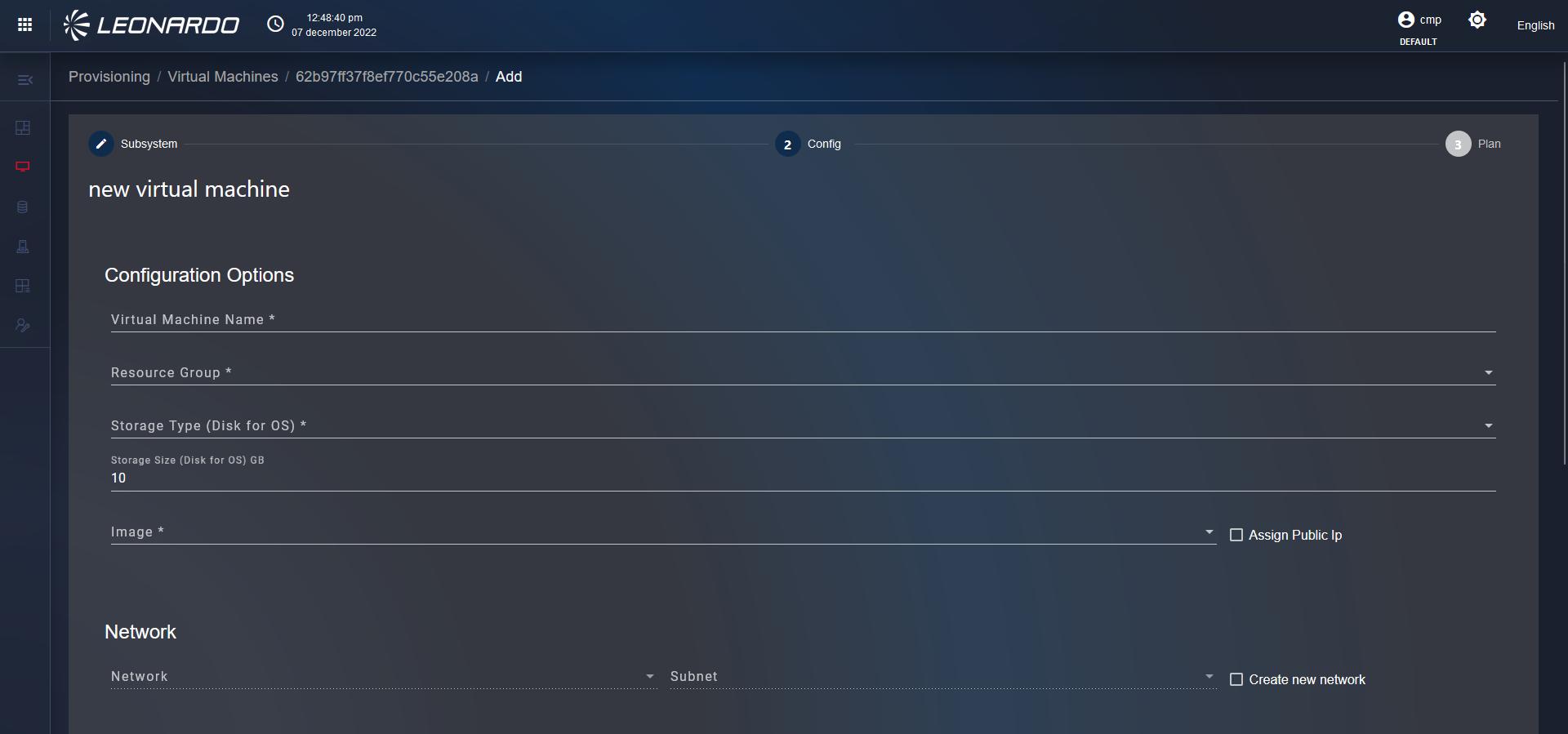
- Provisioning → fully automated via API or web interface.
The service architecture is built on a Proxmox cluster consisting of multiple physical nodes connected via a high-speed network.
Each node contributes CPU, memory, and storage resources to a shared resource pool managed by Proxmox VE.
The main components of the service are:
- Hypervisor → Proxmox VE with KVM (for full virtualization).
- Cluster management → centralized management via Proxmox Cluster Manager with quorum-based consistency.
- Storage backend → shared storage using Ceph supporting redundancy, scalability.
- Networking → virtual networking implemented through Linux bridges or VLAN tagging, with optional SDN integration for advanced network segmentation.
- Management interface → Web-based GUI and REST API for VM lifecycle operations (creation, modification, deletion, migration, snapshot, backup, restore).
The services offer the following advantages:
- Cost reduction → no upfront investment in physical hardware, expensive hypervisor licenses, or datacenter infrastructure.
- Flexibility → resources (CPU, RAM, storage) can be scaled up or down quickly according to business needs.
- Faster Time-to-Market → virtual environments can be provisioned quickly. Ideal for testing, development, or rapid deployment of new services and applications. It reduces provisioning and approval times inside the organization.
- Capital and resource optimization → unused resources are dynamically shared across tenants, maximizing infrastructure efficiency. Better capital utilization compared to underused dedicated environments.
- Business Continuity → built-in backup and high availability (HA) features ensure service continuity in case of hardware failures. Minimizes operational risk for critical applications.